
Steal and Cure a Zombie Bug Report: Official Contact and Feedback Steps
Submit a Steal and Cure a Zombie bug report directly to developer KuinfWorld through their official Roblox group page. The development group reviews player feedback, glitch notifications, and gameplay ideas to keep the zombie hunting simulation running smoothly.
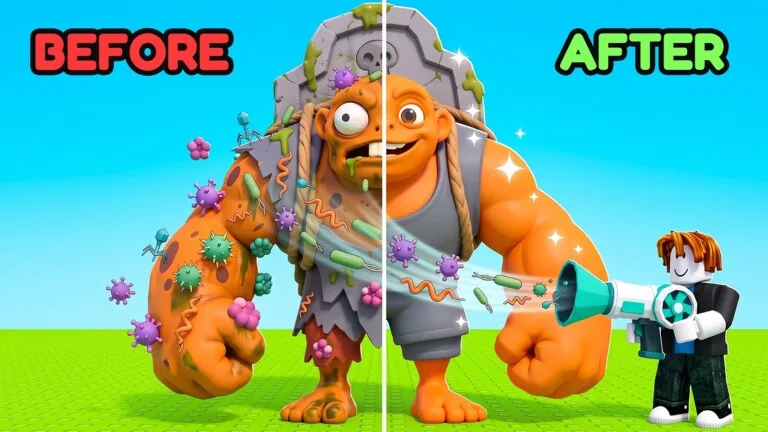
Submit a Steal and Cure a Zombie bug report directly to developer KuinfWorld through their official Roblox group page. The development group reviews player feedback, glitch notifications, and gameplay ideas to keep the zombie hunting simulation running smoothly.
Official Submission Channels for Bug Reports
Developer KuinfWorld maintains an official Roblox group page linked directly from the Roblox experience page. The game description explicitly invites players who encounter an issue or want to submit ideas to reach out to the development team.
Posting directly on the group wall allows the creator to inspect server-side errors, visual defects, and progression hurdles. When submitting details, state the server size and your platform. Servers in this simulation host up to six players at a time, making specific server details helpful for KuinfWorld to recreate and fix reported issues before upcoming scheduled releases, such as the October 31 update event.
Verifying Intended Mechanics Before Submitting
Reviewing the intended gameplay loop helps distinguish deliberate design challenges from actual technical glitches:
- Enter the hunt hallway to pick up a target zombie. Players searching for early capture strategies can review how to steal zombies to understand spawn behavior.
- Carry the target through the route, evade the roaming guardian, and step inside the safe zone perimeter.
- Bring the captured target to the lab and operate the vacuum to complete the treatment cycle, as outlined in the steps on how to cure zombies.
- Relocate the cured creature directly into your holding pen so it generates passive cash.
- Spend time on running machines to build attributes and unlock access to outer zones. Regular treadmill training provides the movement stats needed to outpace hallway threats.
If a laboratory vacuum stops accepting targets, or if a safe zone fails to block guardian attacks, record the exact step in the loop to include in your message to KuinfWorld.
Store Upgrades and Account Features
Purchased upgrades modify laboratory speeds, pen sizes, and exercise rates. Players tracking transaction issues or missing perks from official gamepasses can match their active store items against the official pricing and functionality list below.
| Store Item | Primary In-Game Effect | Robux Cost |
|---|---|---|
| Lucky Cure | Rolls twice during every curing sequence to keep the larger size | 149 Robux |
| Instant Cure | Completes the zombie curing process immediately inside the lab | 149 Robux |
| VIP | Provides a 1.5x multiplier to money and speed, a VIP pen, and a chat tag | 399 Robux |
| +1 Pen Slot | Adds one extra zombie holding slot inside your personal pen | 449 Robux |
| Admin Treadmill | Permanently increases treadmill training progression speed by 3x | 4999 Robux |
Discrepancies regarding missing gamepass perks or incorrect treadmill multipliers should be filed on the KuinfWorld community board with your Roblox account username and purchase confirmation.
Next step
Gamepasses
Review all official Steal and Cure a Zombie gamepasses, their exact Robux prices, and verified perks before spending currency.