
Steal and Cure a Zombie Giant Zombie Guide: Speed Stats and Cleansing
Giant zombies in Steal and Cure a Zombie appear across deep zones, requiring higher sprint ratings to snatch before their guarding overseers strike back. Securing these oversized targets yields larger specimen sizes that demand thorough vacuum germ extraction inside your decontamination laboratory.
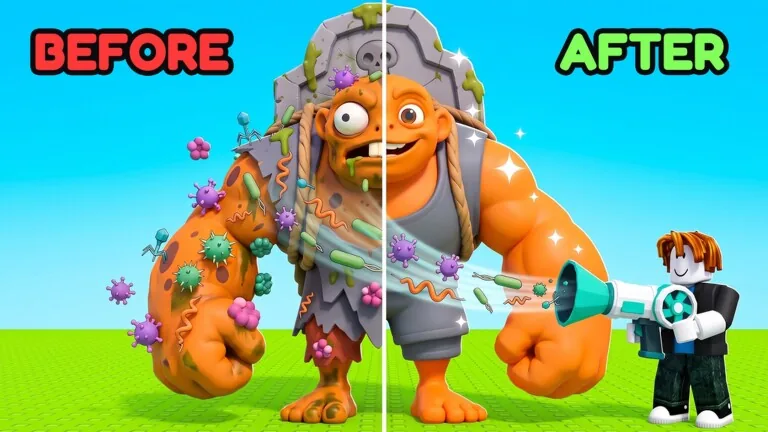
Giant zombies in Steal and Cure a Zombie appear across deep zones, requiring higher sprint ratings to snatch before their guarding overseers strike back. Securing these oversized targets yields larger specimen sizes that demand thorough vacuum germ extraction inside your decontamination laboratory.
Giant Zombie Spawns and Zone Requirements
Players locate giant zombie targets by advancing past the starting cemetery into higher-tier territory. Each distinct zone sets a recommended speed rating on path signs, warning runners of the hazards ahead. Grabbing a specimen while below the posted stat threshold frequently causes the zone guard to knock your character back to the entrance hallway.
| Zombie Target | Best Hunting Situation | Speed Requirement |
|---|---|---|
| Graveyard Caretaker | Initial runs outside spawn | Base movement under 2,500 |
| Moss Eater | Clearing mid-tier woodland paths | 30,000 to 70,000 speed |
| Thorny Bud | Desert Tomb runs past the cosmic tomb | 150,000 speed |
| Cuer Ice Block | Entering the Frozen zone path | 800,000 speed |
Early runners begin in the cemetery area catching Gravediggers and Graveyard Caretakers before pushing into the Toxic Swamp, which recommends 2,500 speed for frog-like slime zombies and Niblat figures. Passing into the Ruined Forest demands between 30,000 and 70,000 speed to harvest heavy rock, snake, and Moss Eater variants. Deeper destinations require substantial stat building: the Desert Tomb posts a 150,000 requirement, the Frozen zone lists 800,000 speed, and late-game zones such as Halloween demand 10 billion to 11 billion speed to withstand the environment safely. Reviewing all zones reveals how sprint checks escalate across each themed barrier.
Zone Guardians and Snatching Hazards
Every zone features an active guardian stationed over its zombie stock. The cemetery features a sleeping caretaker holding his own tombstone, who awakens when a runner lifts a captive. Entering the Frozen zone pits runners against a zombie riding a mammoth, while the carnival section is patrolled by a clown. The seabed houses a zombie mermaid, the moon base stations an alien astronaut, the dragon sanctuary hosts dragon figures over lava, and the Halloween section features a headless horseman guarding Patch the pumpkin man.
When picking up large figures like the cosmic Cuer or Thorny Bud, grabbing an item without sufficient sprint causes immediate guardian contact. The guardian attacks and kicks runners backward, dropping the stolen zombie. Learning how to escape the guardian prevents dropped cargo during your retreat back to base. Night cycles also trigger temporary gate closures in select sectors, preventing runners from entering while monsters rest.
Speed Preparation and Drone Alternatives
Sprinting past guardians requires dedicated preparation on running equipment. Players build raw movement speed by engaging in treadmill training, which gradually raises total power ratings to reach requirements like 150,000 or 800,000. Equipping cosmetic trails from the shop adds visual effects behind your character as running ratings climb past several hundred points.
Automated drones offer a secondary method to retrieve zombies without sprinting into danger zones yourself. Drones launch from personal pads to scan the field, locate targets, and carry them back directly to your base:
- Purchase a drone launch pad corresponding to the desired rarity grade, ranging from basic models to cosmic and secret units.
- Activate the drone launch sequence and wait for the scanner to target a creature across open ground.
- Allow the timer to cycle fully, noting that uncommon retrievals take two to three minutes while cosmic models can require up to 45 minutes of automated flight.
- Retrieve the returned specimen directly from the drone's drop point upon landing.
Manual extraction remains significantly faster for players with adequate speed ratings, as manual runs take seconds compared to multi-minute drone timers.
Laboratory Cleansing and Vacuum Mechanics
After hauling a giant zombie across the threshold of the safe zone, place the infected body directly onto the lab treatment platform. Giant specimens host elevated virus loads, frequently displaying between 140 and 165 individual germs across their limbs, torsos, and heads. Large targets also spawn mother germs, requiring focused suction compared to smaller, standard infections.
Equip the suction tool and apply understanding of how to use the vacuum to sweep across the target:
- Target the head and face first to pull away surface bacteria, spider-like parasites, and lice before they spread.
- Aim at larger mother germs, holding the tool steady until the core virus cluster dissolves.
- Sweep downward along the torso and legs until the remaining germ counter reaches zero.
- Watch the cured character transform into a human, alien, or specialized NPC like an Egyptian king or photographer.
Once fully sanitized, carry the recovered NPC into your housing area to complete how to put zombies in the pen, where cured workers generate passive income to finance shelter upgrades and treadmill enhancements.
Next step
Guardian Location
Find where the guardian spawns along the escape route and plan your sprint from the hunt hallway to safety.